
No DMARC Record? Outlook Just Showed You the Door
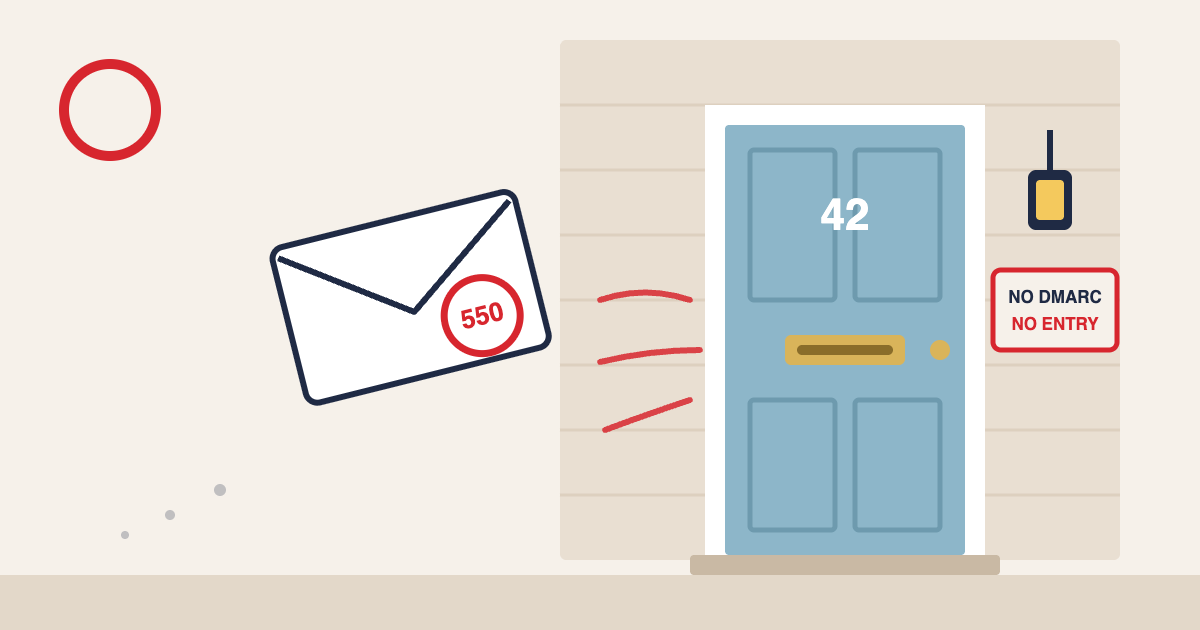
Between 5 and 9 November, some emails sent to Outlook, Hotmail and Live addresses didn’t land in the junk folder. They didn’t land anywhere. Microsoft bounced them straight back with a curt note blaming the sender’s missing DMARC record. Plenty of small businesses had no idea it was happening. And those emails? Gone for good.
Microsoft has since admitted a spam-rule update caused it and rolled the change back. So, panic over? Not quite. The emails that bounced came from domains with no DMARC record at all. That’s a ten-minute fix most SMEs still haven’t made, and every big inbox provider is heading the same way.
The short version: if your domain doesn’t have a DMARC record, add one this week. Here’s what happened, why it matters even though it was a mistake, and how to set it up without breaking anything.
What actually happened at Outlook
From 5 November, senders started seeing bounces from Microsoft’s consumer mailboxes (outlook.com, hotmail.com, live.com and msn.com) with this message:
“550 5.7.1 Message rejected: Message lacks SPF/DKIM/DMARC Auth Records (AS9031519)”
The odd bit was who got caught. Testing by DMARC specialists EasyDMARC found that domains with perfectly good SPF and DKIM were still bounced if they had no DMARC record. Adding even the most relaxed DMARC record stopped it. Business addresses on Microsoft 365 didn’t seem to be affected. It was the personal inboxes your customers use.
On 12 November, Microsoft confirmed to Windows Latest that the problem came from an update to its spam rules, which it rolled back. Mail flow was back to normal by 9 November.
Here’s the painful part. Rejected emails weren’t quarantined or tucked away in junk. They never arrived, and Microsoft can’t restore them. If you sent a booking confirmation or an invoice to a Hotmail address that week, your customer may never have seen it.
Why a mistake is still a warning
It’s tempting to shrug this off as Microsoft’s mess. But look at what the faulty rule was checking for. It’s the same thing the big inbox providers already ask of larger senders:
- Google and Yahoo have required DMARC from bulk senders (5,000+ emails a day to their users) since February 2024.
- Microsoft brought in the same requirement for its consumer inboxes in May 2025.
The difference last week was that the rule hit everyone, regardless of volume. If you’re a small business sending a few hundred emails a month, you’ve probably assumed these rules weren’t aimed at you. For four days, they were.
Think of it like the fire alarm going off by accident. Nobody’s hurt, but you’ve just found out which fire doors are padlocked.
What is a DMARC record, in plain English?
Picture your domain as a pub, and every email claiming to come from it as someone walking through the door.
- SPF is the guest list. It names the services allowed to send email on your behalf, such as your email platform or your booking system.
- DKIM is the tamper-proof seal. Like the foil on a new jar of coffee, it proves the email hasn’t been opened and fiddled with on the way.
- DMARC is the note you leave for the bouncer. It says what to do if someone turns up claiming to be you without being on the list or with a broken seal. It also asks inbox providers to send you reports on who’s been using your name.
That note can say one of three things:
- p=none: “Let them in, but tell me about it.” Monitoring only.
- p=quarantine: “Send them to the junk folder.”
- p=reject: “Turn them away at the door.”
Without a DMARC record, the bouncer has no instructions. Increasingly, inbox providers treat that as a reason to be suspicious of you.
How to check if your domain has a DMARC record
This takes two minutes:
- Use a free lookup tool. Search for “DMARC checker”, type in your domain (the bit after the @ in your sending address) and run it.
- Look for a record starting with v=DMARC1. If the tool says no record found, you’ve got work to do.
- Check your email platform too. Most platforms show your authentication status in the sending domain settings, often with a green tick or a warning.
Adding DMARC without breaking anything
The good news is that you can’t do much harm if you start gently.
Make sure SPF and DKIM are in place first
DMARC relies on the other two. Your email platform will have a set-up guide for both. They’re usually a couple of records your web or IT person adds to your domain’s DNS settings. The domain in your “From” address needs to match the domain being checked. Your platform’s guide will call this “alignment”.
Start with p=none
A sensible first record looks like this:
v=DMARC1; p=none; rua=mailto:dmarc@yourdomain.co.uk
That tells inbox providers to deliver everything as normal but send reports to the address at the end. It won’t block a single email. It would also have been enough to avoid last week’s bounces.
Find every service that sends as you
This is where most businesses get tripped up. Your newsletters probably aren’t the only emails going out under your name. Think about:
- Booking or reservation systems sending confirmations
- Accounting software sending invoices
- Website contact forms and e-commerce receipts
- Your CRM or helpdesk tool
A small restaurant group might find its table booking platform is sending thousands of confirmations a month from its domain, with nobody ever having set up SPF or DKIM for it. The DMARC reports will show you these. Each one needs authenticating before you tighten things up.
Read the reports, then tighten
The raw reports are unreadable files, so use a free DMARC report reader to turn them into plain charts. Once every legitimate sender is passing, move to p=quarantine, then later to p=reject. That’s the stage where you’re actively stopping scammers from sending email pretending to be you.
Were your emails caught up in it?
If you send to many Hotmail or Outlook addresses, it’s worth a quick check:
- Look at bounce reports from 5 to 9 November for Microsoft addresses, especially any mentioning AS9031519.
- Check your suppression list. Some platforms automatically stop sending to an address after a hard bounce. Those customers did nothing wrong, so consider adding them back.
- Resend anything important. Booking confirmations, invoices and password resets from that window may never have arrived.
Your next step
Open a free DMARC checker now and type in your domain. If it comes back empty, send the p=none record above to whoever manages your domain settings and ask them to add it today.
Not sure who looks after your DNS, or what those reports are telling you? That’s exactly the sort of thing we sort out for our clients. Get in touch and we’ll take a look.
Sources: Windows Latest, 12 Nov 2026; EasyDMARC via Security Boulevard, 9 Nov 2026