
AI Email Summaries: Is Your Email Being Skipped?
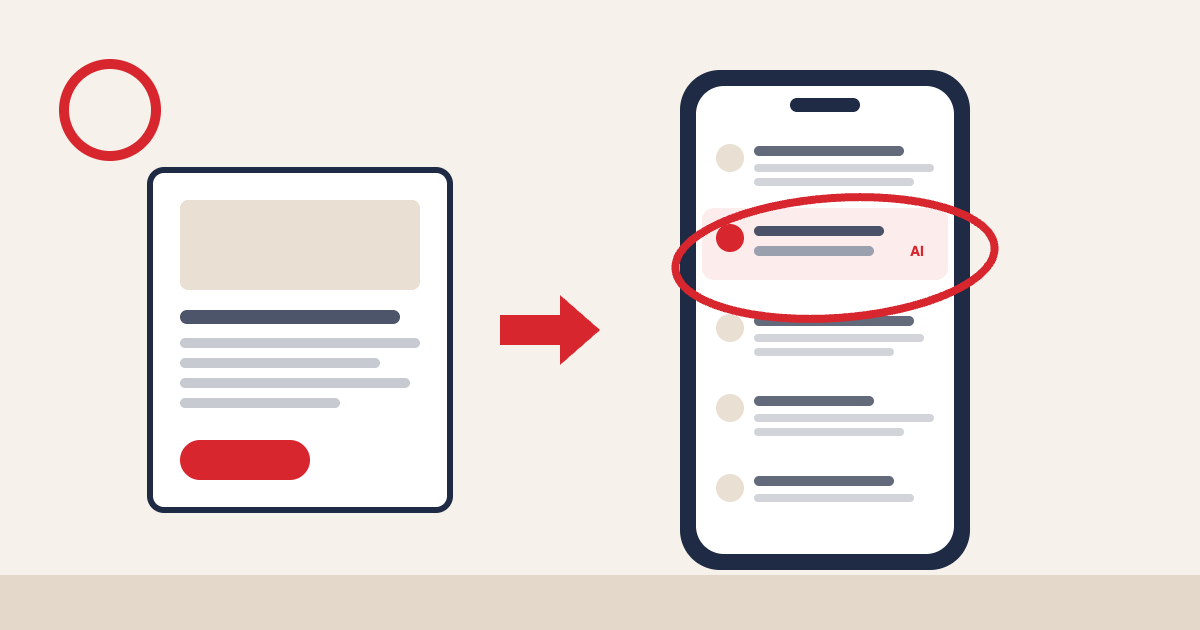
You spent two days on your Christmas campaign. The offer’s right, the design’s lovely and the subject line made the team laugh. Then a customer glances at a two-line summary written by their email app, decides it’s not for them and moves on. They never open it. You’ll never know why, because all you’ll see is another missing open.
That’s what AI email summaries are doing to inboxes right now. Gmail and Apple Mail can both boil your email down before anyone reads it, and some people decide everything from that summary alone.
The fix isn’t a trick. It’s clarity. Put your one main point at the very top, in plain words, with a subject line that says the same thing. If a machine can’t work out what your email is for in two sentences, your customer won’t either.
What AI email summaries actually are
Think of it like a mate at the pub giving you the gist of a film you haven’t seen. You get a quick version and decide whether it’s worth two hours. You don’t get the director’s say in it.
Your email now gets the same treatment:
- Apple Mail: on newer iPhones and Macs with Apple Intelligence switched on, the inbox can show an AI summary in place of the first lines of your email.
- Gmail: Google’s Gemini features can summarise emails and long threads, let people ask their inbox questions and, in a newer AI inbox view being tested, pick out what it thinks matters.
The summary is the new preview text. Except you don’t write it.
Marketers know it’s happening. Few feel ready.
Email data firm Validity surveyed more than 250 marketers for its Holiday 2026 report, published in October:
- 72% have changed, or plan to change, their subject lines or preview text because of AI summaries.
- Only 29% say their organisation is well prepared for AI-powered inboxes.
Validity’s earlier research with US consumers found that 1 in 5 make inbox decisions from AI summaries without opening the full email. Only 10% said they completely trust those summaries to be accurate.
So people are acting on summaries they don’t fully trust. If yours is muddled, you lose them.
UK figures on AI summaries are still thin on the ground, but the direction is clear. Deloitte’s 2026 Digital Consumer Trends survey found 63% of UK consumers have used a generative AI app. And Apple Mail and Gmail together account for nearly 9 in 10 tracked email opens, according to Litmus.
How to write emails that survive the summary
None of this needs new software. It needs a slightly different habit when you write.
Lead with the point
Your first two sentences are now doing the job of your preview text. Don’t open with “Hi Sarah, hope you’re well” or a long brand story. Open with what’s happening and what you want the reader to do.
Compare these openings:
- Weak: “As the nights draw in, we’ve been thinking about what makes winter special…”
- Strong: “Our Christmas set menu is now bookable, £35 for three courses, and Friday nights in December are already filling up.”
The second one gives any AI something solid to work with. It also works for the humans skimming on their phones.
One email, one job
This is the big one for SMEs. It’s tempting to squeeze everything into the monthly newsletter.
Picture a small restaurant group sending one email covering the new winter menu, Christmas bookings, gift vouchers and a job advert for weekend staff. A summary has to squash all four into a sentence or two. You’ll get something vague like “updates from the restaurant”, and that’s easy to ignore.
Pick the one thing that matters most this send and build the email around it. Everything else can go further down, or in next week’s email.
Make the subject line and the email agree
If your subject line promises 20% off and the email opens with a story about your founder, the summary will probably reflect the story. Keep the headline offer in the subject line, the first sentence and the main button. Same words, same order.
Put the important stuff in real text
AI can only summarise what it can read. If your offer, price and deadline are baked into a big image, the summary may have nothing useful to say. Dates, prices and deadlines belong in live text, with the image as decoration.
Why engagement matters even more now
Open rates have been wobbly since Apple’s privacy changes started triggering automatic “opens” back in 2021. AI summaries make them wobblier still, because someone can read your summary, get the message and never open at all.
So shift your attention to the signals that mean something:
- Clicks and conversions: did people actually do the thing?
- Replies: a reply is about the strongest sign that someone wants your emails.
- Engagement by segment: people who click regularly should hear from you more often than people who haven’t clicked in six months.
That last point matters for visibility too. Gmail’s AI features lean on how people interact with you over time. Mailing people who never engage teaches the inbox that your emails aren’t worth showing.
Don’t try to game it
You may see advice about hiding text in your email aimed only at the AI. Don’t. It risks looking exactly like the tricks spammers use, and it treats the inbox providers as opponents. Clear, honest emails are the safest bet, because they’re what the summarisers are built to reward.
Your next step
Take the next campaign you’re about to send. Cover everything except the subject line and the first two sentences. If a customer only saw that, would they know what you want them to do, and by when? If not, rewrite those two sentences before you hit send.
Want a second pair of eyes on how your emails come across in an AI-summarised inbox? That’s exactly the sort of thing we help our clients with. Get in touch and we’ll take a look.
Sources: Validity Holiday 2026 Marketer Survey, via The Agile Brand Guide, 19 Oct 2026; Validity consumer research press release, 1 Jun 2026; MarTech: How Gemini in Gmail changes inbox visibility; Deloitte Digital Consumer Trends 2026; Litmus email client market share, July 2026 (via Outsolvi)